 Twynon
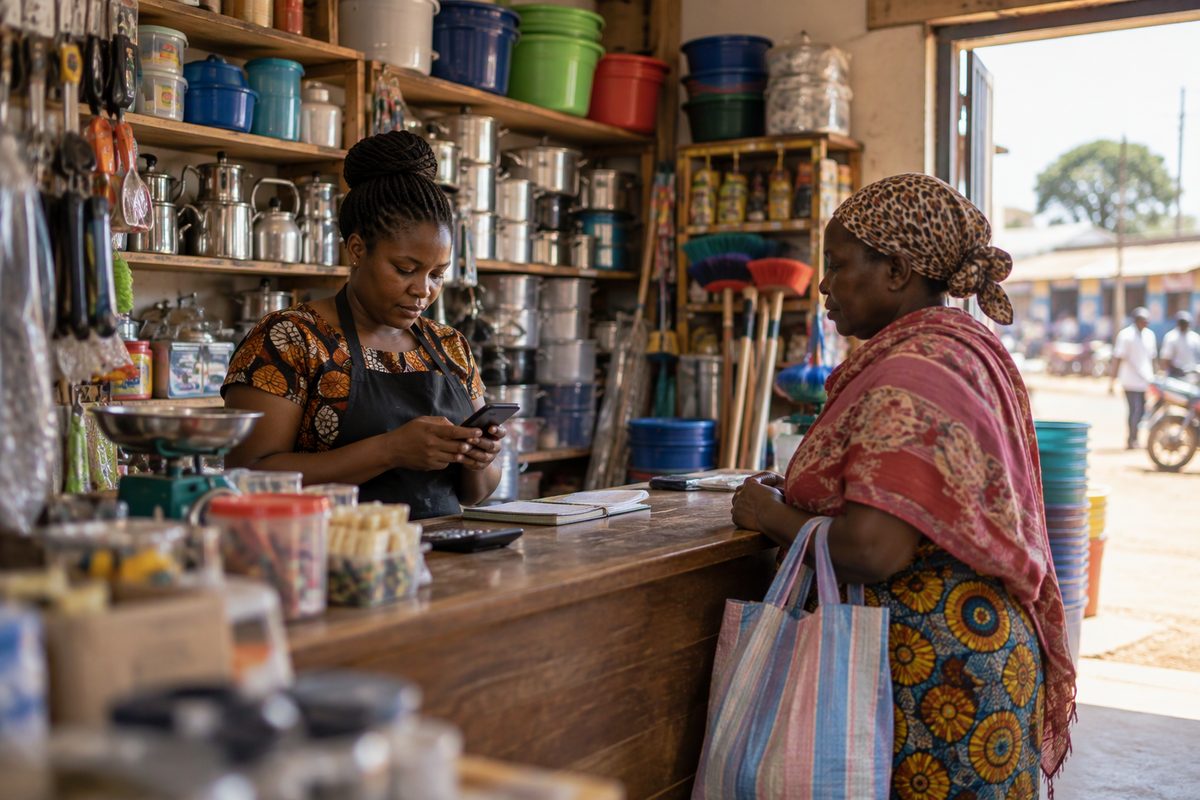
Get paid safely selling online: 6 safe steps
Get paid safely selling online by confirming the money on your own phone, not on a screenshot. A business Till, a written order and a handover record close the gaps a buyer can exploit.
Twynon team
5 November 2026 · 5 min readGet paid safely when you sell online by confirming the money on your own side. Most payment advice is written for buyers, but sellers lose money too. A fake screenshot or a buyer who disappears after collecting the goods is enough to wipe out the profit. Also, the handover record matters as much as the payment. The principle is the same as a buyer's, only in reverse.
Get paid safely by confirming the payment yourself
Do not release goods because a buyer shows you a screenshot. Open your own M-Pesa messages and check the balance. A screenshot can be edited, and a fake message can look convincing.
Safaricom documents fake or old M-PESA messages that show a balance marked as locked. If a message looks odd, do not call the sender back and do not send a reversal. Forward it to 333 and check your own balance through the official menu.
Use a business Till or Pay Bill
A Buy Goods Till in your business name makes the payment easier to match to an order. It also gives the buyer a name to check. If you sell regularly, a Till is worth the setup.
However, a personal number is not illegal for occasional sales, though it blurs the line between you and the business. Keep a written record of the order, the amount and the buyer's number either way.
Understand reversal risk before you get paid
A buyer can request a reversal. Safaricom's DIY 456 route works for Safaricom-to-Safaricom person-to-person transfers within 24 hours, and the recipient must hold enough balance. The app route works for transactions made in the same app and requires the recipient's consent.
That means a payment is not fully settled just because the message appeared. For a high-value sale, wait until you have confirmed the balance and the buyer has received the goods. Therefore do not spend the money on a promise of delivery.
If a buyer asks you to reverse a payment before you have released the goods, do it through the official M-Pesa process. Do not send a separate payment to a refund agent or follow instructions from a caller.
Release goods only after payment or on delivery
First, for collection, release the item after you have confirmed the payment and checked the buyer's identity. Also write a short receipt with the item, amount, date and buyer's name.
For delivery, use a courier with tracking and keep the waybill. A deposit before dispatch and the balance on delivery is a common arrangement. Photograph the item before packing and ask the courier to scan or sign for it. Then send the buyer the tracking number in the same chat where you agreed the order.
Still, cash on delivery works for some items, but it carries its own risk. Confirm the courier's remittance terms and keep the delivery record.
Write the order down before you get paid
Even a short message is enough. State the item and condition, the price, the deposit, the balance, the delivery date and place. Add the return terms and the buyer's phone number. Then ask the buyer to confirm.
This record also helps if the buyer later disputes the condition or claims the item was different. It also helps the courier and the platform if there is a complaint.
Spot fraudulent buyers
Be careful when a buyer overpays and asks for the difference back. Be careful when a buyer says an agent will collect the item but wants you to send money to the agent first. Also be careful when a buyer asks for your PIN, your M-Pesa menu screenshots or a code sent to your phone.
So never share your PIN or an OTP. Safaricom states that its staff do not ask for a PIN. A genuine buyer does not need access to your wallet.
Be careful with a buyer who refuses to confirm the order in writing. The same goes for a buyer who changes the pickup person at the last minute or pressures you to release goods before the payment clears.
If a buyer disputes the sale
First, keep the chat, the payment message, the delivery record and the photos. Reply in writing and stick to the facts. If the sale happened on a platform, use its dispute process. If you believe you have been defrauded, report to Safaricom on 333 and to the DCI on 0800 722 203.
Also, do not argue in public posts or share the buyer's private details. A clear record is more useful than a fight.
Get paid safely with this checklist
First, confirm the payment on your own phone. Use a business Till. Wait for settlement on high-value items. Write the order down. Photograph the item before packing. Use a tracked courier. Keep the delivery record. Never share your PIN or OTP. Finally, report fraud quickly.
For the buyer's side of the same transaction, read how to pay a seller safely with M-Pesa and how to verify a seller. You can also read the deposit scam patterns that sellers get pulled into. List what you sell on Twynon or describe it on the Looking For feed. Safaricom publishes the reversal rules on its M-Pesa page.
FAQ
Can a buyer reverse an M-Pesa payment after receiving goods?
A buyer can request a reversal, but Safaricom's process has conditions. Person-to-person reversals through 456 are limited to 24 hours and require enough balance. The app route requires the recipient's consent. Keep delivery evidence in case a dispute follows.
Should I accept a screenshot as proof of payment?
No. Check your own M-Pesa message and balance. A screenshot is easy to edit and does not prove that money reached your wallet.
What is the safest way to sell a high-value item?
Use a business Till and take a deposit. Confirm the balance before handover, meet in a safe public place or use a tracked courier, and keep a written order and delivery record.
Finally, keep the chat and the delivery record together for at least a month. If you want buyers to find what you are selling, list it on Twynon and keep the conversation and payment record in one place.
Twynon team
Writes the buying and selling guides on the Twynon blog.