 Twynon

Find a Product by Photo in Kenya: 5 Easy Steps
Find a product by photo instead of guessing the words a seller used. A clear picture, a short list and a seller you can inspect make the search work.
Twynon team
5 November 2026 · 4 min readTo find a product by photo, you upload an image and the app compares it with what sellers near you have in stock. The photo does the describing for you, so you do not need the brand name, the model number or the exact words a seller used in a listing.
This also matters in Kenya because most listings are found by typing words. If a seller calls an item a budget sneaker and you search for white trainers, you may never see it. A picture removes that guesswork.
How to find a product by photo
The app reads the shape, colour and pattern in your image, then builds a short description of the item. Next, it compares that description with the photos sellers have uploaded. Results come back as a list of similar items.
Good tools also detect the main object in the frame. As a result, a photo of a chair in a room can still match a chair listed on its own. Some tools let you crop to one item when there are several things in the picture.
What makes a good product photo
First, use one item per photo and fill most of the frame with it. Place it on a plain background, in daylight, and keep the camera steady. Blur and shadows confuse the match more than a lower resolution does.
Avoid screenshots of other apps, heavy filters and photos with a lot of text. A screenshot of a product on a social page often loses the detail the search needs. If you only have a screenshot, crop it to the item and remove as much text as you can.
For clothes, first lay the item flat or hang it against a door. Show the whole garment, then take a second photo of the label if the brand matters. For electronics, photograph the front, the back panel and any model sticker.
Compare product matches before you choose
Next, look at three things before you choose: the shape, the material and the details. Two items can look alike at a glance and differ in the stitching, the buckle or the sole.
Then read each listing's title, size and condition. A match is a starting point, not a promise that the item is the same. If the seller's photo is unclear, ask for another one before you travel.
Sort your shortlist by distance and price together. The cheapest match on the other side of the city may cost more once you add transport. A slightly higher price from a seller in your area is often the better deal.
Buying from a local seller
Once you have a match, your next job is to check the item itself. Contact the seller and confirm the item is still available. Ask for the exact measurements or the model number, and ask whether the price is firm.
Arrange to see the item in person in a public place, or at the seller's shop if they have one. Check the item against the photo you searched with. Small differences are normal, but a different model or a damaged piece is a reason to walk away.
So pay after you have seen the item. If you must pay before delivery, use a method you can trace and keep the conversation in one place.
When the photo finds nothing
Still, no match does not mean the item is unavailable. It usually means no seller has uploaded a clear photo of it yet. Try a tighter crop, a lighter background and a second angle.
If the item is still missing, describe it in words as a request and let nearby sellers answer. On Twynon you post the photo with your budget and location, and sellers who have the item can respond. That covers the items nobody has listed yet, which is common for spare parts, specific sizes and older models.
Questions people ask
Do I need the exact brand name to search by photo?
No. The photo is enough to start. A brand name helps you narrow the results, but the search works from the image.
Can I search using a screenshot?
Yes, but crop it to the item and remove text and buttons. A screenshot taken from a shop page usually matches better than one taken from a chat.
What if the item I want is not listed anywhere?
Post it as a request with your photo, budget and location. Sellers who have it in stock can reply, and you compare the offers before you decide.
For the checks that come after a match, read how to spot fake goods and how to verify a seller. You can also browse local listings or read how Twynon works. A large marketplace such as Jumia is a useful second reference when you want more photos of the same model.
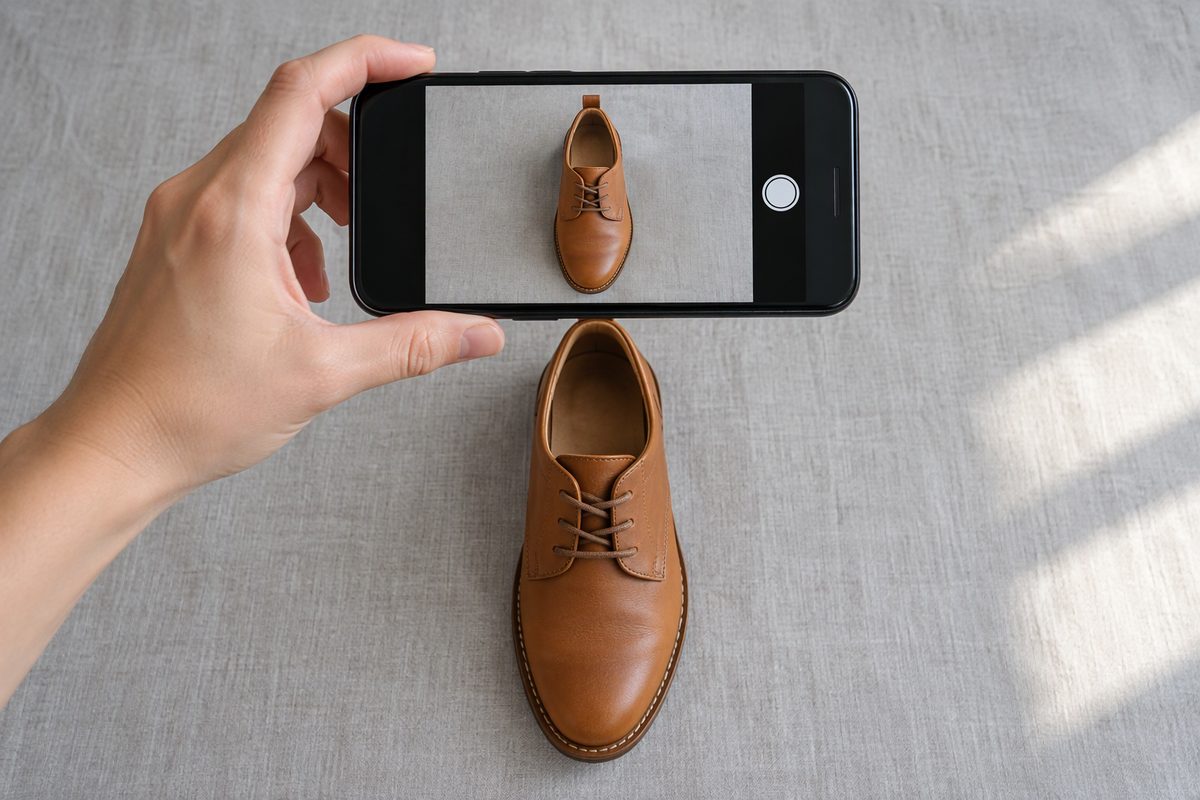
Finally, compare the photo you searched with the item in your hand. If the seller cannot show the item in person, ask for a live video instead. That last step costs a minute, and it protects the whole order.
Twynon team
Writes the buying and selling guides on the Twynon blog.